 NotiAlarm
Turn your alerts into alarms that keep ringing.
NotiAlarm gives the alerts you care about a real alarm on your iPhone. It rings through silent mode and Focus, and it keeps going until you dismiss it.
Download on theApp StoreGet it onGoogle PlayFree to start. iPhone and iPad with iOS 26.1 or later.
TradingView · BTCUSD
Crossing 125,000.00
3:07
NotiAlarm
How it works
Add a source
Pick TradingView, Grafana, GitHub, your email or one of more than 30 other sources. NotiAlarm gives it a private webhook URL and email address.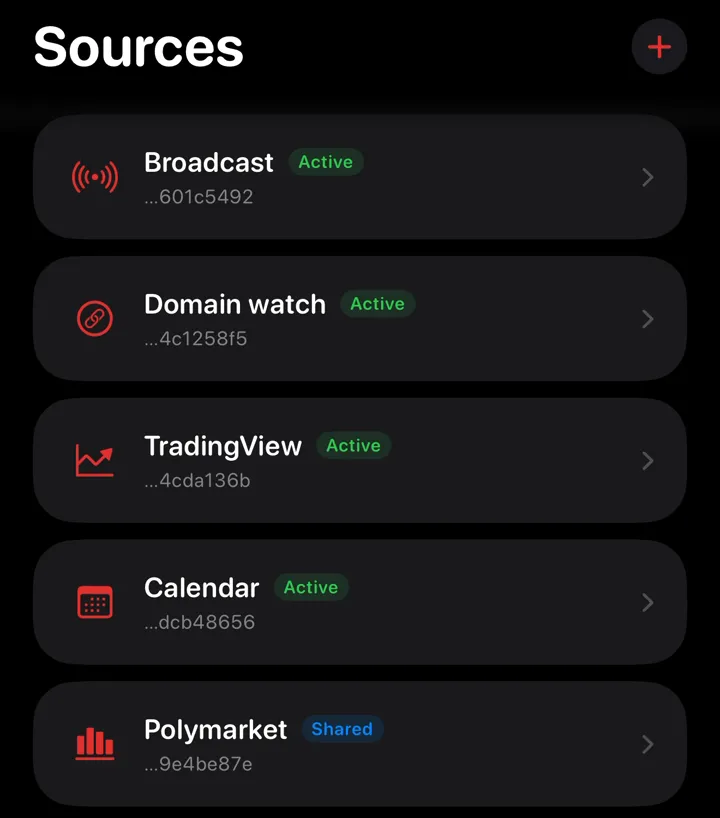
Connect it
Paste the URL or address into the service's alert settings. Most sources have guided setup inside the app.TradingViewActiveWebhook URLhttps://hook.notialarm.com/ing_7Kq2Vx9mPa4cda136bEmail addressing_7Kq2…136b@in.notialarm.comExample: a source's private webhook URL and email address in NotiAlarm. Your phone rings
The next alert rings like an alarm clock. Choose the sound, add a wake-up challenge and pick which alerts ring.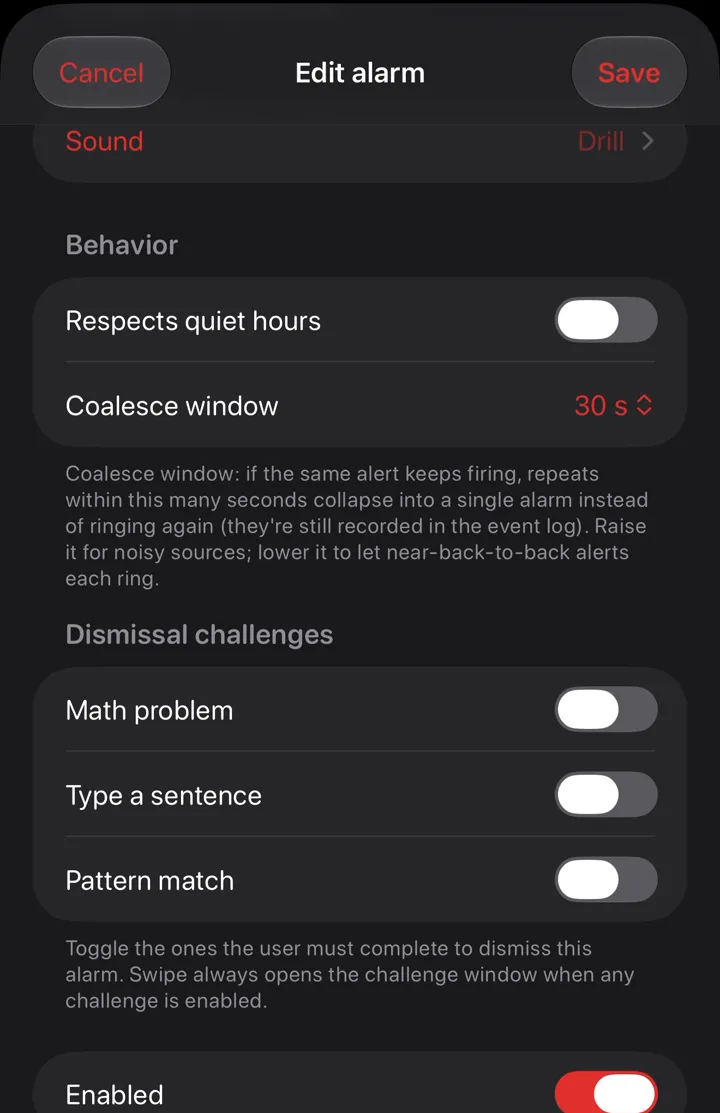
Price
Free
$0
- 1 source
- 1 alarm
- Apple's default alarm sound
Pro
$4.99 a month
or $35.99 a year. Both start with a 1-month free trial.
- Unlimited sources and alarms
- NotiAlarm's alarm sounds and your own uploads
- Polymarket whale alarms
US prices. Cancel any time in your Apple Account settings.
What it can't do
- It needs iOS 26.1 or later. The Phone notifications source needs iOS 27.
- It needs a source that can send a webhook or an email. A service that only shows alerts inside its own app can't reach NotiAlarm unless you use Phone notifications.
- Your phone needs a data connection when the alert arrives. Email adds a few seconds up to about a minute.
- NotiAlarm is not a medical device or an emergency service. Don't rely on it as your only warning for a health or safety event. In an emergency, call your local emergency number.
Popular setups
- Make TradingView alerts ring like an alarm
- Hear TradingView alerts with your iPhone on silent
- Turn an important email into an alarm
- Make any app's notification ring like an alarm
- Ring your phone from any webhook
- Get a real alarm when a GitHub Actions run fails
- Grafana alerts that ring until someone wakes up
- Ring your phone from a Home Assistant automation
- Calendar events that ring like an alarm
- Get an alarm when your website goes down
Questions
Does it ring when my iPhone is on silent?
Yes. NotiAlarm rings through iOS's own alarm system, the one the Clock app uses. Silent mode and Focus don't stop it.
What can send alerts to NotiAlarm?
Anything that can send a webhook or an email. The app has guided setup for TradingView, Grafana, GitHub, Home Assistant, Gmail and more than 30 other sources. With iOS 27, notifications from apps you pick can ring too.
Does TradingView work on the free TradingView plan?
TradingView only sends webhooks on paid plans. On the free plan, forward TradingView's alert emails to your NotiAlarm address.
What happens if my phone is off when an alert comes in?
You'll see it in your missed alarms when the phone is back online. An alert that arrives more than 10 minutes late is listed there instead of ringing.
Can my family or team get the same alarms?
Yes. Share a source and their phones ring at the same moment, each with their own sound and settings.
What data does NotiAlarm keep?
The alarm text and some delivery details, for 30 days. It never keeps the webhook body or the email itself. The privacy policy has the full list.
Is there an Android app?
An Android version is in review on Google Play. Until it's live, NotiAlarm runs on iPhone and iPad with iOS 26.1 or later.
Your next alert could be an alarm
Download on theApp StoreGet it onGoogle PlayFree to start. Needs iOS 26.1 or later. Not a medical device or emergency service.